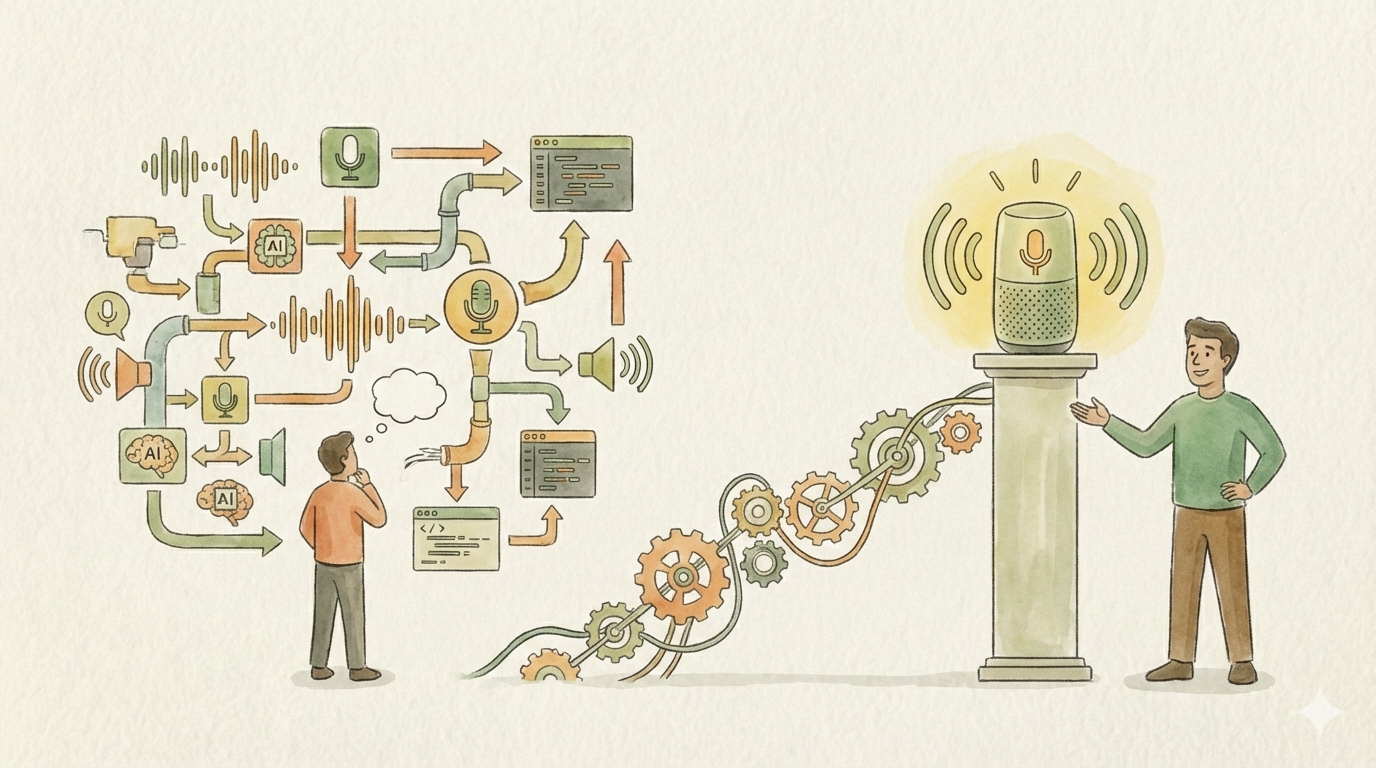
When I set out to build my own voice assistant, I had a seemingly simple mental model: capture audio, transcribe it, send it to an LLM, speak the response. Four boxes on a whiteboard, a few arrows between them. How hard could it be?
Turns out, the arrows are where all the interesting engineering happens. And the boxes? Each one hides a small universe of trade-offs that only reveal themselves once you start building for real hardware, real latency requirements, and real-world constraints.
This is not a step-by-step guide on how to build a voice assistant. It’s the story of the decisions — big and small — that shaped the architecture of mine. Some of them were obvious in hindsight, others only surfaced after hitting walls I didn’t know existed. If you’re a software engineer thinking about building something like this, or if you’re just curious about what real system design looks like beyond the tutorial level, this is for you.
Why Build One at All?
The short answer: I wanted a voice assistant that doesn’t phone home.
The longer answer involves three motivations that all pointed in the same direction. First, privacy. Every commercial voice assistant sends your audio to someone else’s cloud. Often persisted for years. I didn’t want that. Second, I run a home lab with already enough compute power to (at least to an extend) pull this off. Third, most of my smart home is already abstracted behind MQTT, which meant voice-controlled automation was pretty close if I could just get the “voice” part right.
And honestly? I wanted to understand the AI/ML side of things at a deeper level than just calling an API. Building end-to-end forces you to understand what each component actually does, where the bottlenecks are, and why certain trade-offs exist.
The Architecture That Emerged
The final system is a distributed setup with three distinct layers:
Edge devices — ESP32 microcontrollers with INMP441 microphones and small speakers, scattered around the house. These are the ears and mouth of the system.
The orchestration layer — An Elixir/Phoenix application running on my home lab server. This is the brain’s nervous system, managing connections, routing audio, coordinating the pipeline, and serving a web UI.
The inference layer — Whisper for speech-to-text, Ollama for the LLM, and a TTS engine.
What I didn’t anticipate was how many decisions each of these layers would demand before I could even write the first line of code.
Wake Word: The First Surprise
A voice assistant needs to know when you’re talking to it. This sounds trivial until you have multiple devices in different rooms, all listening simultaneously.
I evaluated two main options: Picovoice’s Porcupine and openWakeWord.
openWakeWord is an excellent open-source solution and works well for many use cases. But for my setup it had a fundamental scaling problem. It runs the detection model on the server, which means every device needs to continuously stream audio over Wi-Fi just to detect whether someone said the wake word. For a few devices on a stable power supply, that’s fine. But I was planning for battery-powered ESP32 devices too, and a constant Wi-Fi audio stream is a non-starter for battery life.
The second issue was more subtle and is what ultimately tipped the scale: multi-device coordination. When you say “Hey assistant” in the hallway, every nearby device picks it up. You need to figure out which one should respond — ideally the one closest to you. With openWakeWord, all you know on the server side is that multiple streams detected the wake word around the same time. Figuring out proximity is an extra problem you have to solve.
Porcupine runs directly on the ESP32. It detects the wake word locally with no network traffic, which is perfect for battery-powered devices. But here’s the feature that really caught my interest: when it detects the wake word, it can also report the audio energy level of the detection. This means the coordination problem becomes almost trivial — the backend receives wake events from multiple devices, compares the energy levels, and picks the one closest to the speaker. A few lines of code in a GenServer instead of a complex audio analysis pipeline.
This was one of those moments where a seemingly small technical detail completely eliminated an entire category of complexity.
Audio Formats: The Rabbit Hole I Didn’t See Coming
Before this project, I had almost no experience with audio encoding. I figured I’d pick a format and move on. Instead, this turned into one of the most instructive design decisions of the entire build.
The initial proof of concept was simple: the ESP32 records audio, sends the complete file over HTTP to the Elixir backend, which forwards it to Whisper. It worked. But it also felt terrible. You’d finish speaking, wait for the upload, wait for transcription, wait for the LLM, wait for TTS, and then finally hear a response. The latency made it unusable as a natural conversational interface.
The goal was clear: stream audio in real time so transcription (and even generating the response with the LLM) can begin while the user is still speaking. This is where audio format selection suddenly became a first-class architectural decision.
Opus stood out immediately. It’s designed specifically for low-latency real-time audio — small frames, excellent compression, and wide support. Perfect. Except for one thing I learned the hard way: Opus comes in two flavors. You can transmit raw Opus frames, or you can wrap them in an Ogg container.
Web browsers handle Ogg/Opus natively and effortlessly. The ESP32, on the other hand, has limited memory and processing power — handling raw Opus frames is straightforward, but dealing with Ogg container overhead adds complexity to an already constrained environment.
I had to make a choice. The web UI (a Phoenix LiveView interface) was primarily a development and debugging tool. The ESP32 devices were the real product. So I optimized for the ESP32: raw Opus frames streamed over WebSocket. The browser-based UI got a slightly rougher experience, which was an acceptable trade-off for the intended use case.
This decision taught me something I’ve found applicable far beyond audio engineering: when you have competing requirements from different clients, you need absolute clarity about which client is the primary product. That clarity makes trade-offs obvious instead of painful.
WebSockets: The Only Reasonable Choice
The move from HTTP file upload to WebSocket streaming wasn’t just an optimization — it was a fundamental rearchitecting of the data flow.
With HTTP, the interaction was request-response: send audio, get text back. Clean and simple, but inherently high-latency. With WebSockets, the ESP32 opens a persistent connection to the Elixir backend and streams audio chunks as they’re captured. The backend can begin forwarding audio to Whisper before the user has even finished speaking.
This also meant the Elixir backend became the real-time hub of the system, managing persistent connections from multiple ESP32 devices, routing audio to inference services, and streaming responses back. This is exactly the kind of workload that Elixir’s concurrency model handles beautifully — but more on that later.
Choosing STT and TTS: There Is No “Best”
Picking speech-to-text and text-to-speech engines seemed like it should be straightforward. Run some benchmarks, pick the winner. In practice, the evaluation matrix was far more complex than I expected.
For speech-to-text, Whisper was the obvious starting point — it’s open source, runs locally, and has excellent accuracy. But “Whisper” isn’t one thing. There’s the original OpenAI model in several sizes, there’s faster-whisper with CTranslate2 optimization, there’s whisper.cpp for CPU-only deployments. Each has different speed/accuracy trade-offs, different hardware requirements, and critically different levels of support for streaming and chunked audio input.
For text-to-speech, the landscape is even more fragmented. Speed matters enormously here because TTS is the last step before the user hears anything — every millisecond of TTS processing adds directly to perceived latency. But speed isn’t the only dimension. Voice quality varies dramatically between engines. And then there’s language support.
That last point was a bigger deal than I initially realized. If your requirements are English-only, you have a wealth of excellent options. The moment you need solid support for other languages — in my case German — the field narrows considerably. Some engines that sound fantastic in English produce noticeably worse results in German, or don’t support it at all.
The lesson here generalizes beyond voice assistants: in any system where you’re selecting from multiple competing solutions, the constraint that narrows your options the most should be evaluated first. For me, language support eliminated half the candidates before I even got to benchmarking latency. So I discussed (in this case with myself) the requirements again and it turned out english will be fine for now. Good to have a sensible Product Owner ;-)
Where Elixir Shines
I built the orchestration layer in Elixir with Phoenix, and several aspects of the language and ecosystem turned out to be a remarkably good fit for this kind of project.
GenServers as natural pipeline stages. The voice assistant pipeline — wake word coordination, audio streaming, STT, LLM, TTS, response delivery — maps directly onto a supervision tree of GenServer processes. Each stage manages its own state, communicates via message passing, and can crash and restart independently without taking down the whole system. When an ESP32 disconnects unexpectedly, its associated GenServer terminates cleanly and gets cleaned up by the supervisor. No leaked resources, no orphaned connections.
PubSub for event-driven coordination. Phoenix PubSub made it trivial to decouple the pipeline stages. When a wake word event arrives, it’s published to a topic. The coordination GenServer subscribes, picks the best device, and publishes an “activated” event. The audio streaming process subscribes to that and starts forwarding. Each component only knows about the messages it cares about.
Phoenix LiveView for real-time debugging. Building a web-based development interface that shows live audio levels, transcription in progress, LLM token streaming, and TTS output — all updating in real time — was remarkably easy with LiveView. No JavaScript framework, no REST API, no polling. Just server-rendered HTML that updates over a WebSocket. For a project that’s fundamentally about real-time data flow, having a real-time UI framework that’s native to the backend language was a huge productivity win.
Fault tolerance that actually matters. When you’re building something intended to run 24/7 on a home server, the “let it crash” philosophy isn’t academic — it’s practical. My voice assistant has already survived Wi-Fi connection drops, restarts of the inference server, and various firmware experiments on the ESP32 devices without manual intervention. The supervision tree just handles it.
The ESP32 Side: Easier Than Expected
I’ll be honest — I went into the ESP32 programming with some anxiety. My C experience was minimal, and embedded development has a reputation for being hard.
In practice, it went smoother than expected. The INMP441 microphone and ESP32 DevKit-C1 are popular, well-documented choices with plenty of community examples. The I2S interface for audio capture is well-supported in the ESP-IDF framework. And for the parts where I got stuck — low-level buffer management, Opus encoding configuration, WebSocket frame handling — AI coding assistants were genuinely helpful for navigating unfamiliar territory in C.
The hardware choices themselves were straightforward. The INMP441 is essentially the standard choice for ESP32 audio projects: it’s cheap, small, and produces clean digital audio over I2S. The ESP32 DevKit-C1 has enough RAM and processing power for Porcupine’s wake word detection plus Opus encoding, with headroom to spare.
Smart Home Integration: The Easy Part (For Once)
Ironically, the part that originally motivated the project — voice-controlled smart home automation — turned out to be the least complex piece of the puzzle. Most of my smart home devices are already abstracted behind MQTT. A light, a thermostat, a blind — they’re all just MQTT topics with simple payloads.
The LLM doesn’t need to know about MQTT or IoT protocols. It just needs to understand the user’s intent and make a function call. “Turn off the living room light” becomes a function call with a device identifier and an action parameter. The Elixir backend translates that into the appropriate MQTT message. Right now this works for a few proof-of-concept devices. Extending it to the full smart home is mostly a matter of building out the device catalog and the function definitions — not a fundamental architectural challenge.
This is, incidentally, a nice example of why clean abstractions in your existing infrastructure pay dividends when you build new things on top. The hard work of normalizing all my devices to MQTT was done years ago. The voice assistant just gets to benefit from it.
What I’d Tell Someone Starting This
If you’re thinking about building something similar, here are the things I wish someone had told me:
Know your primary device. Every decision in the pipeline — audio format, protocol, wake word engine, latency budget — depends on what your primary user interface is. For me it was the ESP32. For you it might be a browser, a phone, or something else entirely. Get this wrong and you’ll optimize for the wrong things.
Latency is a product requirement, not a performance metric. The difference between a 2-second response time and a 500ms response time isn’t a nice-to-have optimization — it’s the difference between a usable conversational interface and an unusable one. This requirement cascades into every architectural decision: streaming vs. batch, audio format, model size, connection protocol.
The “just plug them together” mental model is wrong. STT, LLM, and TTS are not completely interchangeable black boxes. Each one has unique constraints around streaming support, language coverage, hardware requirements, and output format. The interfaces between them need as much design attention as the components themselves.
Trade-offs require clarity, not cleverness. When two good options each optimize for a different thing, the answer isn’t to find a clever way to get both. The answer is to know your requirements well enough to pick one confidently and move on. The Opus format decision, the wake word engine selection, the model size choices — in every case, clear requirements made the decision straightforward.
You’ll learn more from building than from researching. I spent meaningful time reading papers and documentation about audio encoding, wake word detection, and speech synthesis. But the real understanding came from hitting actual problems: browser codec support quirks, ESP32 memory constraints, the subtle difference between Ogg-wrapped and raw Opus frames. Build early, learn fast.
Looking Forward
The voice assistant is a working prototype right now, but the conversational experience is solid, the latency is acceptable (and improving), and the smart home integration can be easily expanded one device at a time.
But what excites me more than the product itself is what the process taught me. Building this system required thinking across hardware constraints, audio signal processing, ML model selection, distributed systems coordination, real-time communication protocols, and user experience — all in service of something that, from the outside, looks like it should be simple.
That gap between apparent simplicity and actual complexity is where the most valuable engineering work lives. And it’s the kind of work that doesn’t show up in tutorials, because tutorials by definition have already made all the decisions for you.
The real skill isn’t knowing the right answer. It’s knowing which questions to ask, and having a framework for navigating the trade-offs when there is no single right answer. That’s what senior engineering is, whether you’re building a voice assistant, designing a distributed system, or architecting anything complex enough to resist simple solutions.